

 Chloe Parker
住宅IP通过家庭宽带的 IP 转发流量,让访问看起来像普通用户,从而提高业务安全性。本文详解住宅 IP 的原理、类型、用途与价格,并对比数据中心代理,帮你选对服务。
住宅 IP(Residential IP)是指网络服务提供商(ISP)分配给家庭住宅用户的 IP 地址。它们作为互联网上的通讯地址,转发用户与服务器之间的信息,实现互联网互联。每一个可以联网的手机、电脑或其他设备都有专属于自己的 IP 地址,住宅 IP 是用户接入互联网的必要条件。
一句话理解:住宅 IP 就是”家庭宽带”背后的地址。当你的设备通过住宅 IP 上网时,对目标网站来说,你就是一个住在某地、用某家运营商宽带的普通用户。
住宅IP的工作流程可以拆解为四步,整个过程在毫秒级完成,且对目标网站完全透明:
在整个过程中,目标网站看到的始终是一个来自家庭宽带的 IP,而不是你的真实 IP,也不是机房 IP。这正是住宅IP能”隐形”的关键。
补充说明:住宅 IP 的”真实性”来自它的来源。服务商通过带宽共享 App、SDK 合作、或直接签约用户设备等方式,从家庭网络获取这些 IP。因此,采购透明度和合规来源已成为区分优质服务商的关键指标。
住宅 IP 凭借”高信任度 + 低封禁率”的优势,在 2026 年成为绝大多数商业数据采集与账号运营的基础设施。核心应用场景包括:
| 应用场景 | 说明 | 为什么需要住宅 IP |
| 数据采集(Web Scraping) | 大规模抓取电商目录、新闻、房产、招聘等公开数据 | 住宅 IP 信任分高,能有效抓取数据 |
| SEO / SERP 监测 | 从不同地区监控关键词排名与搜索结果 | 避免被返回个性化结果 |
| 价格监控(Price Monitoring) | 跨区域抓取商品价格,监测竞品动态定价 | 电商平台按地域显示不同价格 |
| 社媒/多账号管理 | 账号运营、社媒矩阵、市场调研 | 每账号绑定稳定 IP,避免关联封号 |
| 品牌保护 | 监测假冒商品、未授权卖家 | 全球多市场持续扫描 |
| 市场调研 | 采集价格、库存、舆情、竞品定位 | 需要多地区数据 |
| 内容本地化测试 | 验证在不同国家/地区的效果 | 实现本土化访问 |
数据来源:《住宅IP服务器市场——战略洞察与预测(2026-2031)》
住宅 IP 并非单一品类。理解类型差异,是选对IP、不花冤枉钱的前提。主要有以下三种:
每次请求或每隔一段时间自动更换一个住宅 IP,从池中随机分配。
在一个固定周期内(通常按天/周/月)保持同一个 IP 不变。这类 IP 通常由真实 ISP(如 AT&T、Comcast)分配,但托管在高性能服务器上,因此兼具”住宅 IP 的信任度”和”机房 IP 的稳定性”。
术语澄清:静态住宅(Static Residential )与 ISP 在行业里经常混用,指向同一类资源——”由真实 ISP 分配、但不随时间轮换的住宅 IP”。区别仅在于部分服务商用”ISP”强调其托管在机房而非终端设备上。
介于轮换与静态之间的折中方案:从住宅池中取出一个 IP,在设定的时间段内(如 5–30 分钟)保持不变,之后可再切换。
这是选择IP时最核心的对比。两者的本质区别在于 IP 的”出身”:住宅 IP 来自家庭宽带,数据中心 IP 来自云服务器/机房。
| 对比维度 | 住宅(Residential) | 数据中心(Datacenter) |
| IP 来源 | ISP 分配给家庭设备 | 云服务商/机房批量生成 |
| 网站判定 | 普通家庭用户,几乎无法识别 | 服务器流量,易被批量识别 |
| 检测/封禁率 | 极低(约 0.1% 级别) | 较高(约 15–30%) |
| 速度 | 中等(1–3 秒延迟) | 极快(100–500ms 延迟) |
| 成本 | 高(约 $3–15/GB) | 低(约 $1–3/IP/月) |
| 计费方式 | 通常按流量(per GB) | 通常按 IP(per IP/month) |
| 适用场景 | 受保护站点、社媒、电商、采集 | 高速批量操作 |
怎么选? 一句话原则:如果”成功率”优先 → 住宅IP;如果”速度、成本”优先 → 数据中心。
住宅IP的定价遵循两种主流计费模式,理解计费方式比记住具体价格更重要:
住宅IP之所以成为 2026 年数据采集与账号运营的”标配基础设施”,核心在于它用网络服务提供商 ISP 分配的住宅 IP,让流量访问更畅通,从而保持高成功率抓取目标数据。
选择时记住三个要点:
A residential IP is an intermediary server that routes your internet traffic through an IP address assigned by an Internet Service Provider (ISP) to a real household device — such as a home router, laptop, or smartphone. Because the IP is registered to a genuine residential internet connection rather than a data center, websites see your requests as coming from an ordinary home user, not from an automated server.
In practice, this makes residential proxies the most trusted type of ips for tasks that demand high anonymity and low block rates — web scraping, ad verification, price monitoring, and multi-account management.
Key takeaway: Residential proxies deliver real ISP-assigned home IPs, making your traffic nearly indistinguishable from organic users and dramatically reducing CAPTCHAs and IP bans.
A residential IP (residential IP address) is an IP address that an Internet Service Provider (ISP) assigns to a household customer. As a communication address on the internet, it relays information between users and servers, making internet connectivity possible. Every internet-enabled phone, computer, or other device has its own IP address, and a residential IP is a basic requirement for getting online.
In one sentence: a residential IP is the address behind a real home broadband connection. When your device goes online through a residential IP, the target website sees you as an ordinary user living in a certain place and using a certain ISP’s broadband.
A residential ip works through a four-step process that completes in milliseconds and is completely transparent to the target website:
Throughout this process, the target website always sees an IP from a home broadband connection — never your real IP, and never a data center IP. This is exactly what makes a residential ips “invisible.”
A note on sourcing: A residential IP’s “authenticity” comes from where it originates. Providers obtain these IPs from home networks through bandwidth-sharing apps, SDK partnerships, or direct agreements with device owners. This is why sourcing transparency and ethical compliance have become the key differentiators between reputable providers and low-quality ones.
Thanks to their high trust and low block rate, residential proxies became essential infrastructure for most commercial data collection and account management in 2026. Core use cases include:
| Use Case | Description | Why You Need a Residential IP |
| Web Scraping | Large-scale extraction of public data from e-commerce catalogs, news, real estate, and job boards | Residential IPs carry high trust scores and can collect data effectively |
| SEO / SERP Monitoring | Track keyword rankings and search results from different locations | Avoid being served personalized results |
| Price Monitoring | Scrape product prices across regions and track competitor dynamic pricing | E-commerce sites show different prices by location |
| Social Media / Multi-Account Management | Account operations, social media matrices, and market research | Bind a stable IP to each account to avoid linking bans |
| Brand Protection | Monitor counterfeit products and unauthorized sellers | Continuous scanning across multiple markets |
| Market Research | Collect pricing, inventory, sentiment, and competitor positioning | Requires data from multiple regions |
| Content Localization Testing | Verify rendering across countries and regions | Achieve localized access |
Data source: “Residential IP Server Market — Strategic Insights and Forecasts (2026–2031)“, Knowledge Sourcing.
Residential IPs are not a single category. Understanding the differences is the prerequisite for choosing the right IP without overspending. There are three main types:
A rotating residential ips automatically assigns a new residential IP for each request or after a set interval, drawing randomly from a pool.
A static residential ip (also called an ISP ip) keeps the same IP for a fixed period — typically by day, week, or month. These IPs are assigned by real ISPs (such as AT&T or Comcast) but hosted on high-performance servers, combining the trust of a residential IP with the stability of a data center IP.
Terminology note: “Static residential ip” and “ISP ip” are often used interchangeably in the industry. Both refer to the same resource — a real ISP-assigned IP that does not rotate over time. The only difference is that some providers use “ISP ip” to emphasize that the IP is hosted on data center infrastructure rather than an end-user device.
A sticky session is a compromise between rotating and static: the ip pulls one IP from the residential pool and holds it for a set window (e.g., 5–30 minutes) before switching.
This is the most important comparison when choosing a ip. The essential difference lies in the IP’s “origin”: a residential IP comes from home broadband, while a datacenter IP comes from cloud servers.
| Dimension | Residential IP | Datacenter IP |
| IP Source | ISP-assigned to home devices | Bulk-generated by cloud/hosting providers |
| How Sites See It | Ordinary home user, nearly impossible to detect | Server traffic, easily identified in bulk |
| Detection / Block Rate | Very low (~0.1% level) | Higher (~15–30%) |
| Speed | Moderate (1–3 s latency) | Very fast (100–500 ms latency) |
| Cost | High (~$3–15/GB) | Low (~$1–3/IP/month) |
| Billing | Typically per GB | Typically per IP/month |
| Best For | Protected sites, social media, e-commerce, scraping | High-speed bulk operations |
How to choose? One principle: if success rate is your priority, go residential; if speed and cost are your priority, go datacenter.
Residential IP pricing follows two mainstream billing models. Understanding the billing method matters more than memorizing a specific price:
Residential IPs became the “standard infrastructure” for data collection and account management in 2026 because they use ISP-assigned residential IPs to make traffic flow more smoothly, maintaining a high success rate for scraping target data.
Three points to remember when choosing:
适合读者:第一次接触 AI智能体的产品 / 运营 / 开发者,以及正在挑选智能体平台、想知道”智能体能帮我干什么”的所有人。
你是不是也有过这样的体验:让 AI 帮你写一份周报,它写得挺好;但你说”帮我把这周的会议纪要整理成周报,发给部门群里”,它就只能说”抱歉,我无法发送消息”。
这就是普通 AI 助手和 AI智能体的分界线——能不能不只”说”,还能”做”。
这篇文章回答三个问题:
顺便说一句,这个概念在港台地区写作”智能體”,本质是同一个东西,下文统一用”智能体”指代。
先给一个一句话定义:
AI智能体(AI Agent)是一种能够感知环境、自主规划、调用工具并执行动作来完成目标的 AI 系统。它不是”回答问题的 AI”,而是”完成任务的 AI”。
普通聊天 AI 只有一个环节:你输入,它输出。智能体则是三件事的闭环:
| 维度 | 普通 AI 助手(Chatbot) | AI智能体(AI Agent) |
| 交互方式 | 一问一答,你推进每一步 | 给目标,它自己推进多步 |
| 能力边界 | 只能生成文字/图片 | 能调用工具:浏览器、代码、API、文件系统 |
| 状态 | 对话结束就忘了 | 有记忆,能跨任务、跨时间持续工作 |
| 出口 | 一段回答 | 一个结果:一份报告、一封已发送的邮件、一段跑通的代码 |
一个直观的判断标准:如果任务需要”动手”而不是”动嘴”,就需要智能体。
一句话版:智能体 = 大模型(大脑)+ 记忆(经验)+ 工具(手脚),靠”规划 → 行动 → 观察 → 再规划”的循环把目标做成结果。
拆成四步看:
这个循环就是智能体区别于单次问答的全部秘密。
按照任务场景,目前落地最成熟的智能体可以分成几大类。
这是目前商业化最多也是最热门的品类——如果你搜过”写代码最强的 AI”或”编程 AI 工具”,出来的基本都是它。
它的形态从轻到重大致分三层:
选型时真正拉开差距的不是会不会写代码,而是三件事:能不能读懂你的整个工程上下文、跑不通时会不会自己修、免费额度和本地部署支不支持。
如果说编程智能体面向开发者,数据分析智能体就是面向业务用户的”会用 SQL 和图表的同事”。
典型用法:把 Excel 或数据库表扔给它然后按照你的需求发送一段指令文字,”它会自己决定查哪些字段、做什么口径、画什么图。
对运营和产品背景的读者,这可能是性价比最高的智能体类型:
进阶玩法是把”取数”和”分发”连起来:每天早上自动拉昨日核心指标、生成早报、发到群里——这就把 2.3 节的自动化能力也串起来了。
看完类型,如果你想自己搭一个——比如给团队做一个”自动整理客诉并归类”的智能体——下一步就是选智能体开发平台。
2026 年,不会写代码也完全能搭出可用的智能体。 主流智能体平台都把”编排”做成了拖拽和配置。
| 平台 | 定位 | 特点 |
| Microsoft Copilot Studio | 企业级智能体搭建 | 和 Microsoft 365 生态打通最深,适合已用 Teams/Office 的公司 |
| Salesforce Agentforce | CRM 场景智能体 | 销售/客服场景开箱即用,数据直接长在 CRM 里 |
| Zapier Agents | 自动化 + 智能体 | 依托 6000+ 应用连接器,”智能体动手干活”的连接器天花板 |
| Lindy | 轻量个人/团队助理 | 邮件、日程、CRM 类任务上手快 |
| n8n(开源) | 工作流自动化见长 | 可自部署,节点生态极广,技术团队性价比高 |
Tips:先用免费额度把流程跑通,再谈付费。 跑不通的流程,付费也救不了;跑得通的流程,你自然会知道该为哪个能力付钱。
如果你连”搭”都懒得搭,只想用一个工具把各种智能体和模型都调起来——这就是 AI 聚合平台(AI Aggregator)存在的意义。
AI 聚合平台提供统一入口与 API 接口,可接入 OpenAI、Claude、Gemini、DeepSeek 等多款主流大模型,是集成各类 AI 能力的综合服务平台。
它的逻辑很像”充电宝界的共享模式”,目前有三种形态:

| 平台 | 模型规模 | 差异化亮点 | 适合人群 |
| UIUIAPI | 300+ 大模型(OpenAI/Claude/Gemini/DeepSeek 等) | 折扣率直接标注——充值前就能算出实际成本,价格透明度在中转站里少见;支持 OpenAI/Anthropic/Gemini 多协议,多节点负载+自动熔断 | 个人开发者、小团队,追求成本可预期 |
| DMXAPI | 300+ 多模态模型(文生文/图/视频/音频) | RPM/TPM 不设上限,企业客户无限并发;多模态统一走一套 API 风格;7×24 一对一客服 | 高并发场景 |
| OpenRouter | 500+ 模型、80+ 供应商,开源+闭源全覆盖 | 模型上新速度业内最快;自动路由/故障转移——主模型挂了自动切备用;有 25+ 个永久免费模型;SOC 2 合规、支持零数据保留(ZDR)路由 | 独立开发者、需要多模型自由切换和故障兜底的产品团队 |
| SiliconFlow(硅基流动) | 主流开源模型(DeepSeek/Qwen/GLM/Kimi 等)+ 图像/语音/视频模型 | 本质上是”算力公司”而非纯中转:自研推理加速引擎,官方称语言模型推理提速 10x+;支持企业专属算力(预留实例)和混合云部署 | 主用开源模型、对推理速度和私有化有要求的国内团队 |
适合谁?重度 AI 用户和中小团队这部分用户的用量还撑不起和模型厂商直签,但又不想到处注册账号。挑选时重点看三点:支持的模型是否及时更新到最新版本、API 兼容性如何、计费透明度。
聊到这里,有个容易被忽略的环节值得单独说说:数据。
无论是聚合站收录全网智能体、企业给智能体喂领域知识库,还是为模型训练/微调采集公开语料,底层都绕不开同一件事——大规模网页数据抓取。而采集任务经常遇到瓶颈:任务中断、数据缺失、IP失效,都是智能体开发者常踩的坑。
这类场景的通行解法是住宅IP(Residential IP)——用住宅网络 IP 发起请求,保障采集的稳定性和数据质量。
如果你的智能体项目涉及 AI 模型训练或数据抓取,可以了解一下 CliProxy:它提供覆盖全球的住宅 IP 资源,针对模型训练语料采集和数据抓取场景做了优化,而且价格对新用户比较友好。使用优惠券:lZvJcWBLCm可以享受全场 95 折优惠。配合上文任一聚合平台的 API,”模型调用 + 数据采集”两块基础设施就都齐了。
Who this guide is for: product managers, marketers, and developers encountering AI agents for the first time — and anyone evaluating AI agent platforms or wondering “what can an AI agent actually do for me?”
You’ve probably had this experience: you ask an AI to write a weekly report, and it does a great job. But when you say, “Turn this week’s meeting notes into a report and send it to my department’s group chat,” it replies, “Sorry, I can’t send messages.”
That’s the dividing line between an ordinary AI assistant and an AI Agent — the difference between talking and doing.
This article answers three questions:
(Note: In Traditional Chinese regions such as Hong Kong and Taiwan, the term is written “智能體” — it’s the same concept. This guide uses “AI agent” throughout.)
Here’s a one-sentence definition you can quote directly:
An AI Agent is an AI system that can perceive its environment, plan autonomously, call tools, and take actions to accomplish a goal. It’s not an AI that answers questions — it’s an AI that gets things done.
An ordinary chatbot has exactly one step: you type, it replies. An AI agent runs a closed loop of three capabilities:
| Dimension | Ordinary AI Assistant (Chatbot) | AI Agent |
| Interaction | One question, one answer; you drive every step | Give it a goal; it drives multiple steps itself |
| Capability | Can only generate text/images | Can call tools: browser, code, APIs, file system |
| State | Forgets everything when the chat ends | Has memory; works continuously across tasks and time |
| Output | A reply | A result: a report, a sent email, working code |
A simple litmus test: if the task requires “hands” rather than a “mouth,” you need an AI agent.
One-liner: AI Agent = LLM (the brain) + Memory (experience) + Tools (hands and feet), running a “plan → act → observe → re-plan” loop until the goal becomes a deliverable.
Broken into four steps:
That loop is the entire secret separating an AI agent from a single-turn Q&A.
By use case, the most mature categories of AI agents today fall into a few major groups.
This is the most commercialized — and hottest — category. If you’ve ever searched “best AI for coding” or “AI programming tools,” the results were almost all coding agents.
They come in three tiers, from lightest to heaviest:
When choosing one, what really separates the field isn’t “can it write code” but three things: Can it understand your entire codebase context? Does it fix its own failures? And does it offer free quotas or local deployment?
If coding agents serve developers, data analysis agents are the “colleague who knows SQL and charts” for business users.
Typical usage: throw an Excel file or database table at it, send an instruction in plain language, and it decides which fields to query, which definitions to use, and which charts to draw.
For readers with operations or product backgrounds, this may be the highest-ROI type of AI agent:
The advanced play is connecting “data retrieval” to “distribution”: every morning, automatically pull yesterday’s core metrics, generate a morning brief, and post it to the group chat — which ties into the automation capabilities in section 2.3.
Now that you know the types, suppose you want to build one yourself — say, an agent that “automatically sorts and categorizes customer complaints” for your team. The next step is choosing an AI agent development platform.
The conclusion first: in 2026, you can build a usable AI agent without writing a single line of code. Mainstream AI agent platforms have turned “orchestration” into drag-and-drop configuration. The real dividing lines are in the table below.
| Platform | Positioning | Highlights |
| Microsoft Copilot Studio | Enterprise-grade agent building | Deepest integration with the Microsoft 365 ecosystem; ideal for companies already on Teams/Office |
| Salesforce Agentforce | CRM-scenario agents | Out-of-the-box for sales/service scenarios; data lives natively in the CRM |
| Zapier Agents | Automation + agents | Backed by 6,000+ app connectors — the ceiling for “agents that actually do things” |
| Lindy | Lightweight personal/team assistant | Quick to pick up for email, calendar, and CRM-type tasks |
| n8n (open source) | Workflow automation powerhouse | Self-hostable, enormous node ecosystem, great value for technical teams |
One practical tip: get your workflow running on a free tier first, then talk about paying. A workflow that doesn’t run can’t be saved by money; one that does will tell you exactly which capability is worth paying for.
If you can’t even be bothered to build anything and just want one tool to invoke every kind of agent and model — that’s exactly why AI aggregator platforms exist.
An AI aggregator platform provides a unified entry point and API interface, connecting to multiple mainstream LLMs such as OpenAI, Claude, Gemini, and DeepSeek. It’s an integrated service platform for AI capabilities of every kind.
The logic is a lot like shared power banks — and it currently comes in three forms:

| Platform | Model Coverage | Differentiators | Best For |
| UIUIAPI | 300+ LLMs (OpenAI/Claude/Gemini/DeepSeek, etc.) | Discount rates labeled upfront — you can calculate real costs before topping up, a rare level of price transparency among relay platforms; supports OpenAI/Anthropic/Gemini protocols, multi-node load balancing + automatic circuit breaking | Individual developers and small teams who want predictable costs |
| DMXAPI | 300+ multimodal models (text/image/video/audio) | No RPM/TPM caps, unlimited concurrency for enterprise clients; one unified API style across modalities; 7×24 one-on-one support | High-concurrency scenarios |
| OpenRouter | 500+ models, 80+ providers, open + closed source | Fastest model onboarding in the industry; automatic routing/failover — if the primary model goes down, it switches to a backup; 25+ permanently free models; SOC 2 compliant with zero-data-retention (ZDR) routing | Independent developers and product teams that need multi-model flexibility and failover |
| SiliconFlow | Mainstream open-source models (DeepSeek/Qwen/GLM/Kimi, etc.) + image/speech/video models | Essentially a “compute company” rather than a pure relay: self-developed inference acceleration engine, officially claiming 10x+ faster LLM inference; supports dedicated enterprise compute (reserved instances) and hybrid cloud deployment | China-based teams focused on open-source models with inference-speed and privatization requirements |
Who are they for? Heavy AI users and small-to-mid teams whose volume can’t yet justify direct contracts with model vendors, but who don’t want to register accounts everywhere. When choosing, focus on three things: whether supported models are updated promptly, API compatibility, and billing transparency.
While we’re on the topic, there’s an easily overlooked piece worth calling out: data.
Whether it’s an aggregator website indexing agents from across the web, an enterprise feeding domain knowledge bases to its agents, or collecting public corpora for model training and fine-tuning — it all comes down to the same thing: large-scale web data collection. And collection tasks often hit bottlenecks: interrupted jobs, missing data, dead IPs — all common pitfalls for AI agent developers.
The standard solution in these scenarios is residential ips — sending requests through residential network IPs to ensure collection stability and data quality.
If your AI agent project involves AI model training or data scraping, take a look at CliProxy: it offers residential IP resources with global coverage, optimized for training-corpus collection and data-scraping scenarios, with newcomer-friendly pricing. Use coupon code lZvJcWBLCm for 5% off sitewide. Paired with the API of any aggregator platform above, you’ll have both pieces of infrastructure covered: model access + data collection.
静态住宅 IP 是指一个注册在消费级互联网服务提供商(ISP)名下、在用户持有期间始终保持不变的固定 IP 地址。正因为地址不会变,目标平台会认为是同一位访客在多次会话中反复回访。
核心要点
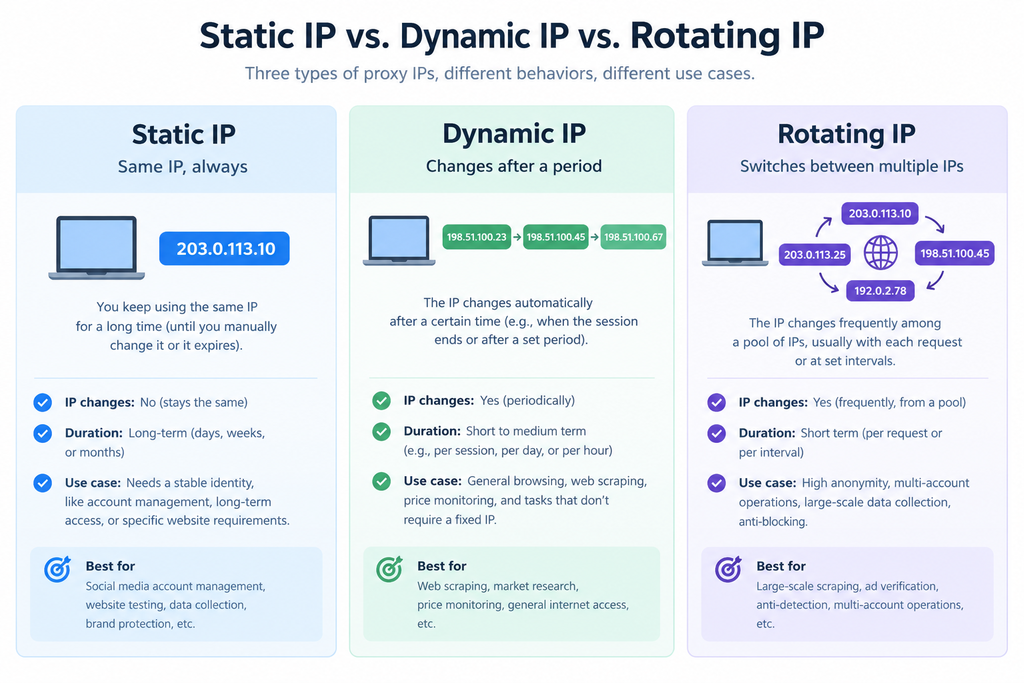
静态住宅 IP 需同时满足两个条件。其一,它注册在消费级 ISP 名下而非主机服务商名下,也就是说,它所属的 IP 段的 ASN(自治系统编号,即标识 IP 段归属者的注册记录)属于住宅宽带运营商;其二,它在合约期内独占分配给你,且永不变更。你的请求先发到服务商的网关,再由该地址发出,目标服务器记录到的是一户家庭宽带用户,而不是一台服务器。
由这两个条件,可以推出静态住宅 IP 的两个核心价值:地址固定不变,且为你个人独享。正是「稳定 + 独占」这套组合,让静态住宅 IP 特别适合账号运营、卖家后台、长会话自动化这类需要长期稳定身份的场景。
大多数指南把静态、动态、轮换、机房、原生、公网 IP 并列成六个待选选项。但其实,它们描述的是三个彼此独立的属性,同一个 IP 可以同时具备其中几个。按属性归类,是避免错认属性、正确认识 IP 的好方法。
| 类别 | 它回答的问题 | 该轴上的术语 | 它决定了什么 |
| 1. 生命周期 | 地址变不变?谁来决定何时变? | 静态 / 动态 / 轮换 | 能否保持固定 IP 和身份信息一致 |
| 2. 归属来源 | 谁拥有这个 IP 段?其注册地与实际出口地是否一致? | 住宅 / 机房 / 原生 vs. 非原生 | 访问网页的初始信任分 |
| 3. 可达性 | 该地址是否公网可路由? | 公网 IP / 私网(CGNAT、RFC 1918) | 能否接收入站请求、并被唯一识别 |
只有同时给出三类别上各自的答案,一个 IP 才算被完整描述。「静态住宅」只告诉了你生命周期和一半的归属来源——它没有说明该地址是否原生、是否公网可路由,而这两项恰恰最常决定社交媒体平台、广告投放的结果的关键因素。
| 静态 | 动态 | 轮换 | |
| 什么会变 | 保持固定不变 | 家庭线路重连时地址会变 | 每次请求、每个会话或按定时器更换新出口 IP |
| 由谁控制 | 分配如此,无法控制 | 运营商的 DHCP 租约或重连周期 | 用户可以通过设置轮换会话时间控制 |
| 计费方式 | 按 IP / 月 | 按 IP 或按 GB | 按 GB |
| 价格区间 | 低至 $3.0 / IP / 月,通常不限流量 | 以官网为准 | 低至 $0.58/GB,流量永久有效 |
| 最适合 | 账号运营、卖家后台、长会话自动化、支付流程 | 低风险采集,任意家庭线路即可胜任 | 大规模抓取、SERP 与价格监控、广告验证 |
| 主要短板 | 供给有限;IP 一旦被标记就无处可换 | 不可预测;无法保持会话 | 无法保持身份;按量计费成本随规模上升 |
动态与轮换的区别:动态 IP 的有效期是变动的,供应商无法保证固定的不变时长;轮换则强调用户的主动行为——你购买轮换 IP 后自行设置切换会话的时间,从而实现 IP 轮换。这种可控的变化,让轮换 IP 在数据抓取和信息采集领域得到了广泛应用。
机房(数据中心)IP 由主机与云服务商持有,通过托管型 ASN 识别。按单个 IP 算,它最快也最便宜,同时也最容易被目标站点判定识别。机房 IP 适合内部 QA、压力测试与无防护的目标,不适合身份敏感型业务。
原生 vs. 非原生是买家最容易跳过的一项检查。原生 IP 的注册地与实际出口地一致:WHOIS 国别、ISP 与地理位置库三者一致,且该地址从未被标记为托管或IP出口。非原生 IP 的注册地常常和实际出口不一致,例如注册在 A 地、从 B 地出口。这种IP的常见做法是机房段被重新包装成住宅 IP 出售。凡校验注册一致性的平台,即使 ASN 显示为住宅,也会把这种不一致读作负面信号。
验证原生 IP 与非原生 IP 的方法:想查某个具体 IP 是原生还是非原生,不到 2 分钟即可得到答案——查 WHOIS,用两个独立的地理位置库交叉比对,并确认 ASN 类型显示为 ISP 而非主机商。
公网 vs. 私网(CGNAT)描述的是可达性,不是稳定性。公网 IP 全球可路由且为你独有;私网或运营商级 NAT(CGNAT)地址则在地址转换层之后与其他未知用户共用。IP 白名单与入站回调需要公网地址。相当一部分住宅IP池包含 CGNAT 地址。
请注意这些类型彼此独立、完全可以同时具备多种属性。例如:静态 IP 可能位于 CGNAT 之后并被共享,公网 IP 也可能轮换。
服务商只比一个数字。实际上有三个,而对外宣传最多的IP池规模的价值最低:
一个从不刷新的大池会持续劣化:地址不断积累封禁记录,成功率下滑。因此选择最好的IP池,绝不是盲目看表面宣传——最佳方式是选择批量套餐先做测试,测试通过后再提高购买量。
每家服务商宣称的都是同一套数字。在你的真实目标上、用一个周末测出下面四项指标,通常就能定下来:
| 类型 | 计费单位 | 价格区间 | 隐藏的坑 |
| 轮换住宅 | 按 GB | 低至 $0.58/GB,流量永久有效 | 预付费入门价总价看着不高,但每 GB 单价可能贵过企业套餐 |
| 静态住宅 / ISP IP | 按 IP / 月 | 低至 $3.0 / IP,通常不限流量 | 供给有限,一旦使用通常不支持更换 |
| 机房 | 按 IP / 月 | 四者中最低 | 单 IP 便宜,但使用场景受限 |
| 移动(4G/5G) | 按 IP 或按 GB | 四者中最高 | 价格贵 |
以上区间为 IP服务商的公开定价(2026 年 9 月),价格实时变动,具体价格以官网为准。
在打开任何定价页之前,先按三种属性:生命周期、归属来源、可达性,给你的业务负载归类。这个分类会告诉你该买哪种类型,以及清单里哪几项才真正影响你的账单。
想要亲自验证吗?CliProxy 为新用户提供免费测试流量,联系在线客服即可申请,通过优惠券 lZvJcWBLCm 可享全场 95 折。
A static residential IP is a fixed IP address registered to a consumer internet service provider (ISP) that stays the same for as long as you hold it. Because it never changes, a target platform sees the same visitor returning across sessions.
Key takeaways
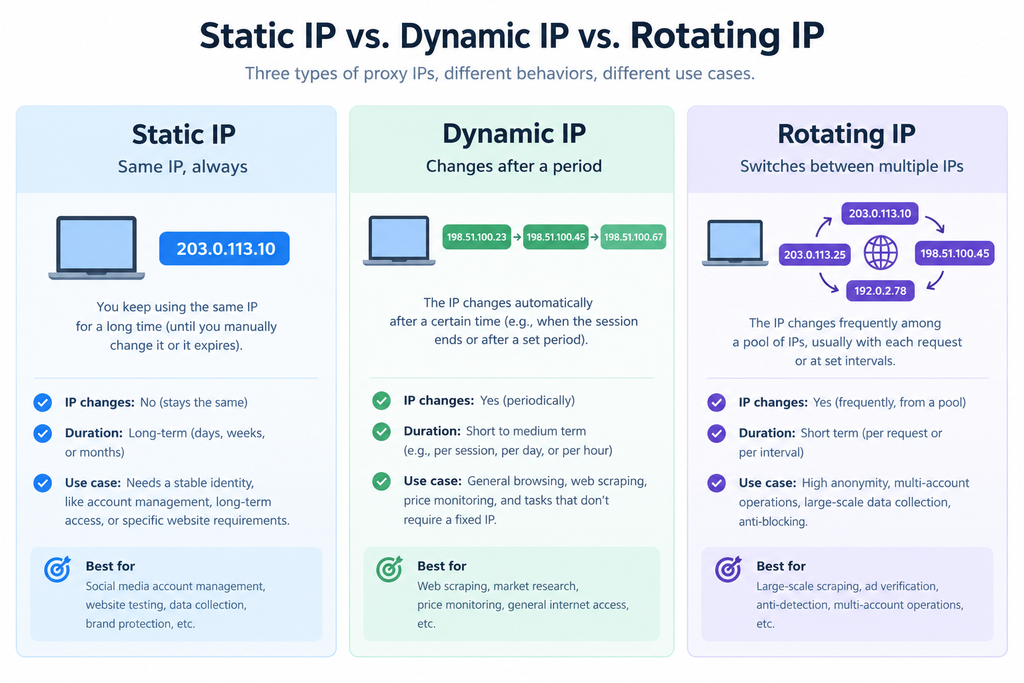
A static residential IP satisfies two conditions at once. First, it is registered to a consumer ISP rather than a hosting company — meaning the IP block’s ASN (autonomous system number, the registry record identifying who owns an IP range) belongs to a residential broadband operator. Second, it is assigned to you exclusively and never changes for the length of your contract. Your request goes to the provider’s gateway, exits through that address, and the target server logs a household broadband subscriber instead of a server.
From these two conditions follow two core values: the address never changes, and it is yours alone. That combination of stability and exclusivity is what makes static residential IPs well suited to account management, seller dashboards, and long-session automation — any workflow that needs a stable, long-lived identity.
Most guides present static, dynamic, rotating, datacenter, native and public IP as six alternatives to choose between. They are not. They describe three separate properties, and a single IP can be several at once. Sorting them by axis is the fastest way to stop misreading what an IP actually is.
| Axis | The question it answers | Terms on this axis | What it determines |
| 1. Lifetime | Does the address change, and who decides when? | Static / Dynamic / Rotating | Whether you can keep a fixed IP and a consistent identity |
| 2. Origin | Who owns the block, and does its registered geography match where traffic exits? | Residential / Datacenter / Native vs. non-native | The trust score you start with |
| 3. Reachability | Is the address publicly routable? | Public IP / Private (CGNAT, RFC 1918) | Whether you can take inbound requests and be uniquely identified |
An IP is only fully described with one answer from each axis. “Static residential” gives you lifetime and half of origin — it says nothing about whether the address is native or publicly routable, the two attributes that most often decide outcomes on social media platforms and ad delivery.
| Static | Dynamic | Rotating | |
| What changes | Nothing | The address changes when the consumer line reconnects | A new exit IP per request, per session, or on a timer |
| Who controls it | Fixed as assigned; nothing to control | The ISP’s DHCP lease or reconnect cycle | You, via the rotation session settings |
| Billing | Per IP / month | Per IP or per GB | Per GB |
| Price range | From $3.0 / IP / month, usually unlimited bandwidth | See official site | From $0.58/GB, traffic valid permanently |
| Best for | Accounts, seller dashboards, long-session automation, payments | Low-stakes collection where any consumer line will do | Scraping at scale, SERP and price monitoring, ad verification |
| Main weakness | Limited supply; a flagged IP has nowhere to rotate | Unpredictable; cannot hold a session | Cannot hold an identity; metered cost grows with volume |
Dynamic vs. rotating, clarified. A dynamic IP’s validity period is variable — the provider cannot guarantee a fixed, stable duration. Rotating, by contrast, emphasizes your control: you buy a rotating IP and set the session time yourself, triggering rotation on your schedule. This controllable change is why rotating IPs are so widely used in data scraping and information collection.
Datacenter IPs are owned by hosting and cloud providers and identified by a hosting ASN. They are the fastest and cheapest per IP, and the easiest for a target to detect. Right for internal QA, load testing, and undefended targets; wrong for identity-sensitive work.
Native vs. non-native is the check most buyers skip. A native IP’s registered geography matches where traffic actually exits: WHOIS country, ISP, and geolocation databases all agree, and the address has never been flagged as a hosting or IP exit. A non-native IP is registered in one place and exited from another — often datacenter ranges repackaged as residential. Platforms that verify registration consistency read the mismatch as a negative signal even when the ASN looks residential.
How to verify a native IP in under two minutes: check WHOIS, cross-check two independent geolocation databases, and confirm the ASN type reads as an ISP rather than a hosting provider.
Public vs. private (CGNAT) describes reachability, not stability. A public IP is globally routable and uniquely yours; a private or carrier-grade NAT address is shared behind a translation layer with unknown other users. You need public for IP whitelisting and inbound callbacks. A meaningful share of residential pools contains CGNAT addresses.
Note that these axes are independent and can overlap. For example, a static IP can sit behind CGNAT and be shared, and a public IP can rotate.
Vendors compete on one number. There are three, and the advertised one predicts the least:
A large pool that never refreshes decays: addresses accumulate block records and your success rate falls. So the best pool is never chosen by blind faith in marketing copy — the right way to buy is to start with a batch plan, test it, then scale up after the test passes.
Every provider claims the same numbers. Four metrics, measured on your real target over a weekend, usually settle it:
| Type | Billed by | Price range | The trap |
| Rotating residential | Per GB | From $0.58/GB, traffic valid permanently | Entry plans look cheap in total, but the per-GB rate can be higher than enterprise tiers |
| Static residential / ISP IP | Per IP / month | From $3.0 / IP, usually unlimited bandwidth | Limited supply; usually no replacement once in use |
| Datacenter | Per IP / month | Lowest of the four | Cheap per IP, but limited use cases |
| Mobile (4G/5G) | Per IP or per GB | Highest of the four | Expensive |
Prices shown are IP Providers published rates (September 2026). Prices are updated in real time; for the most up-to-date prices, please refer to the prices displayed on the official website you visit.
Classify your workload on the three axes — lifetime, origin, reachability — before you open a single pricing page. That classification tells you which type to buy and which checklist items actually move your bill.
Want to verify it yourself? Cliproxy offers new users free test traffic — contact online support to apply, and use coupon code lZvJcWBLCm for 5% off.
对于很多海外电商卖家、独立站运营者、AI 出海团队、独立开发者来说,注册一家境外公司,才是出海的真正开始。
但传统的代办长期存在:需要分头对接多家中介,银行开户、年审报税、文书认证等,业务分散办理,沟通成本高、周期漫长。
IngStart 是一个覆盖公司注册、银行开户、税务合规等全套出海服务的一站式平台,专注于帮海外电商卖家、外贸企业和创业者,把出海过程中繁琐、容易出错的合规环节集中到一处处理。
你只需对接 IngStart 一个入口,就能掌握名下所有海外主体的注册、开户、报税和年审进度,把精力真正放回产品、市场和客户上。
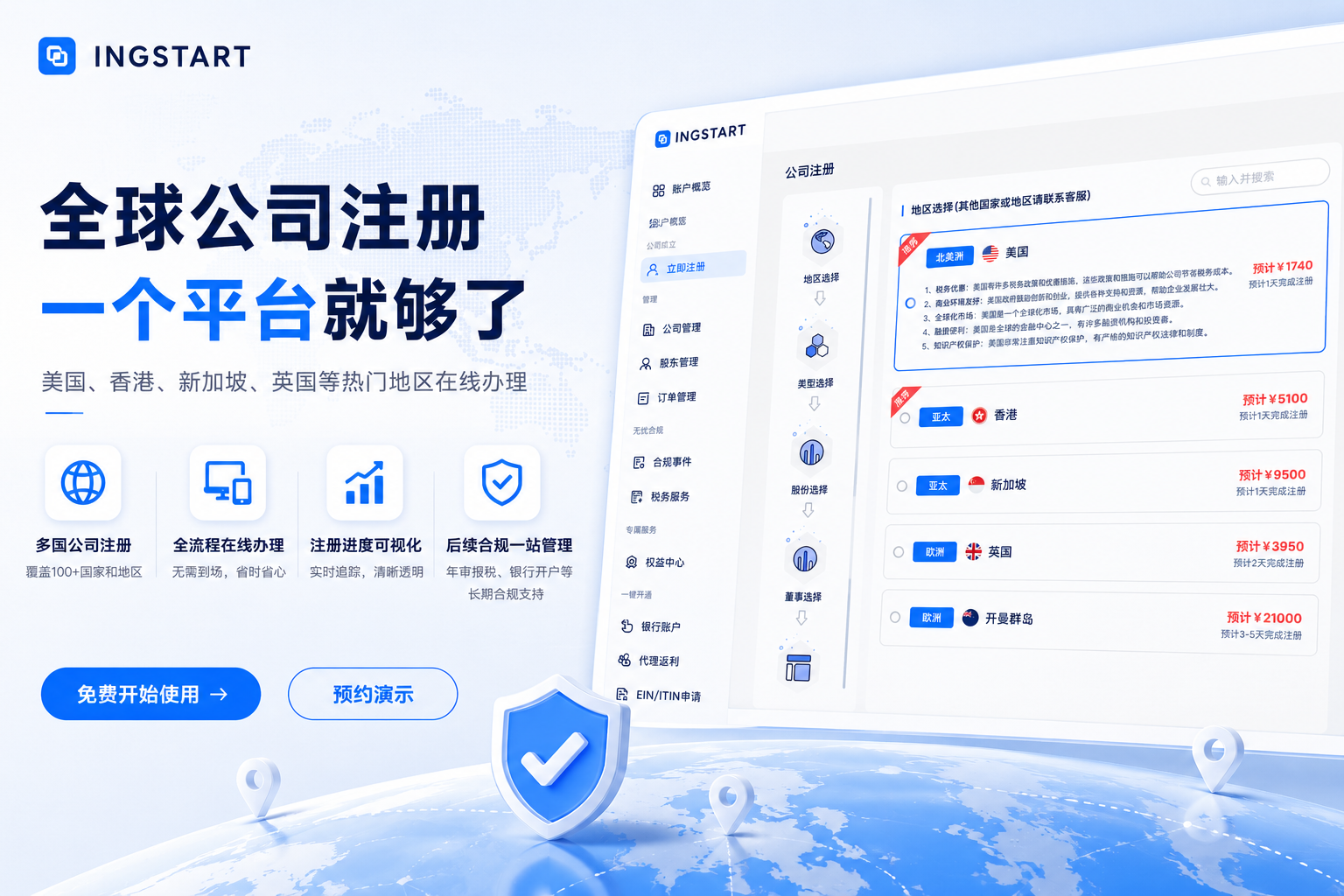
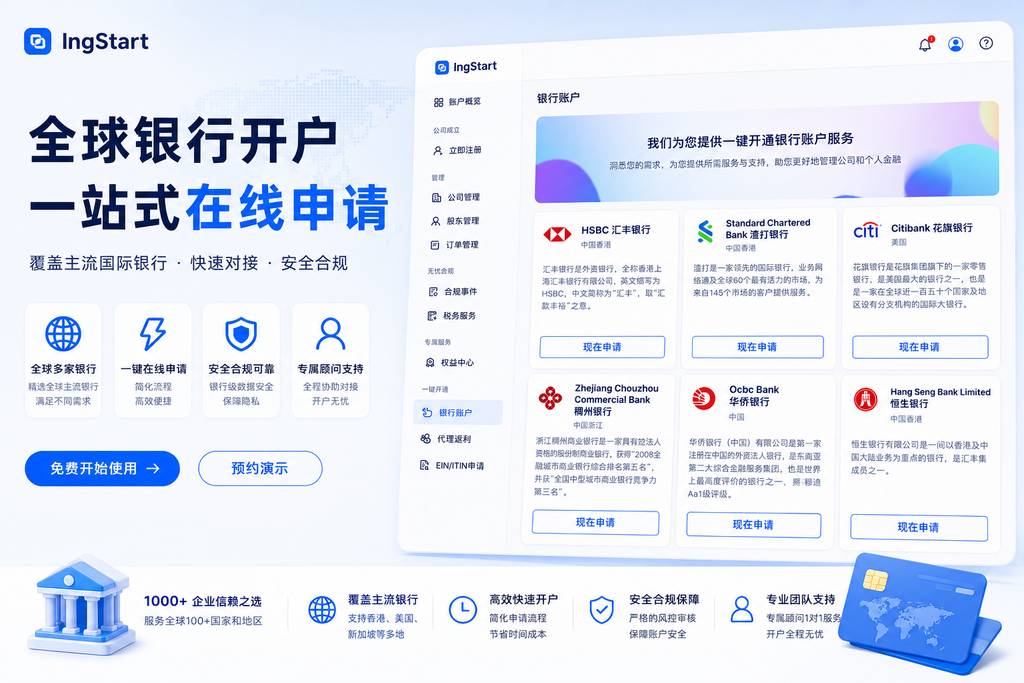
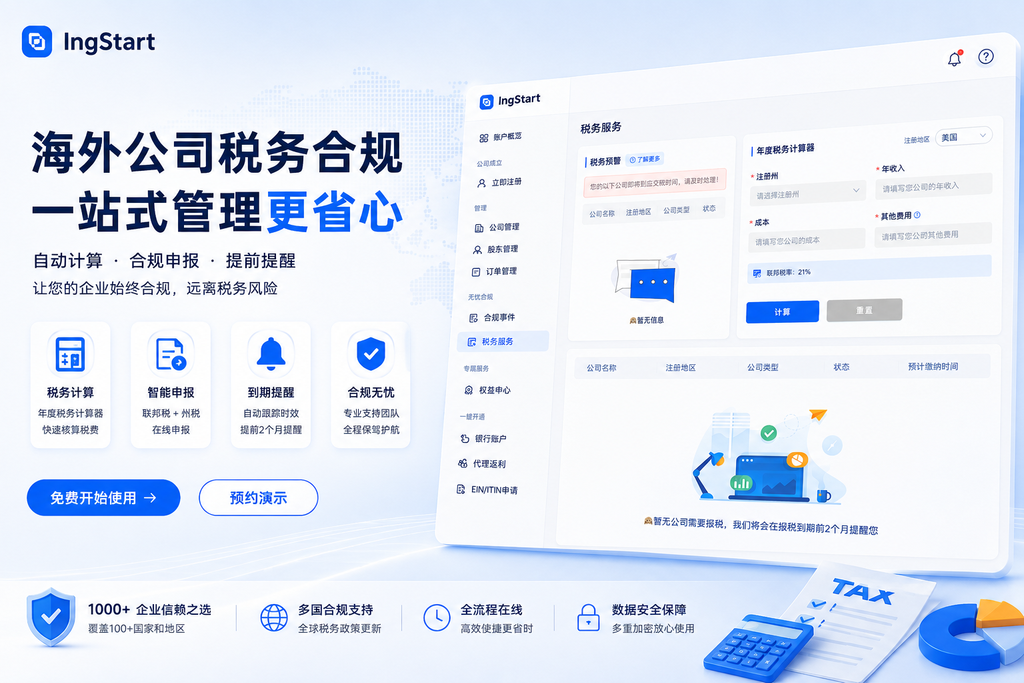
把注册、开户、合规这些耗时又容易出错的环节交给天天做这件事的团队,不是偷懒,而是投资回报率高的选择。
如果你正在计划出海,或者已经被注册、开户、合规这些问题困扰,多一个选择,少走一段弯路。你可以先上官网查看新活动和套餐详情,也可以直接联系 IngStart 顾问,让专业的团队先帮你评估,再决定下一步怎么走。
如果您在做海外电商多店铺或海外社媒矩阵运营,也可以搭配 CliProxy 住宅IP,提供稳定的原生IP和数据中心资源出口,配合指纹浏览器让账号环境更真实、更稳定,降低 IP 关联风险。
But traditional agencies have long meant juggling multiple intermediaries — bank account opening, annual filing and tax returns, document notarization, all handled separately. Communication costs are high and the cycle is slow.
The whole process is time-consuming, error-prone, and costly.
That’s why more and more businesses going global are turning to one-stop service platforms.
IngStart is a one-stop platform covering company registration, bank account opening, tax compliance, and more. It focuses on bringing the most tedious, error-prone compliance steps of going global into a single place for cross-border sellers, foreign trade companies, and startups.
With a single point of contact at IngStart, you can track the registration, banking, filing, and annual review status of all your overseas entities — and put your energy back into your product, your market, and your customers.
What We Offer
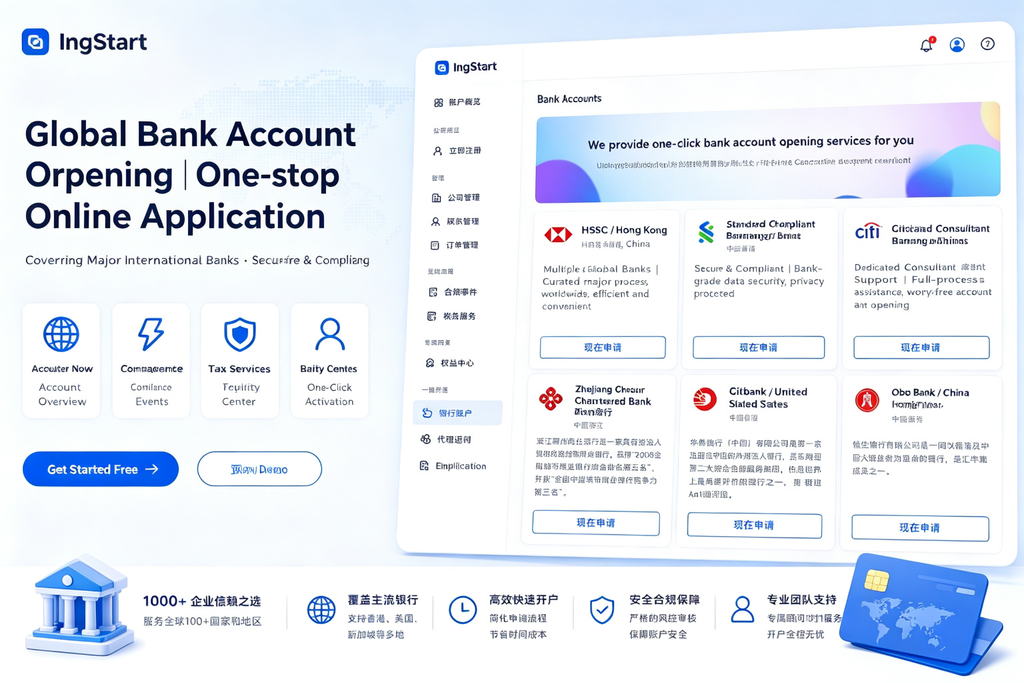
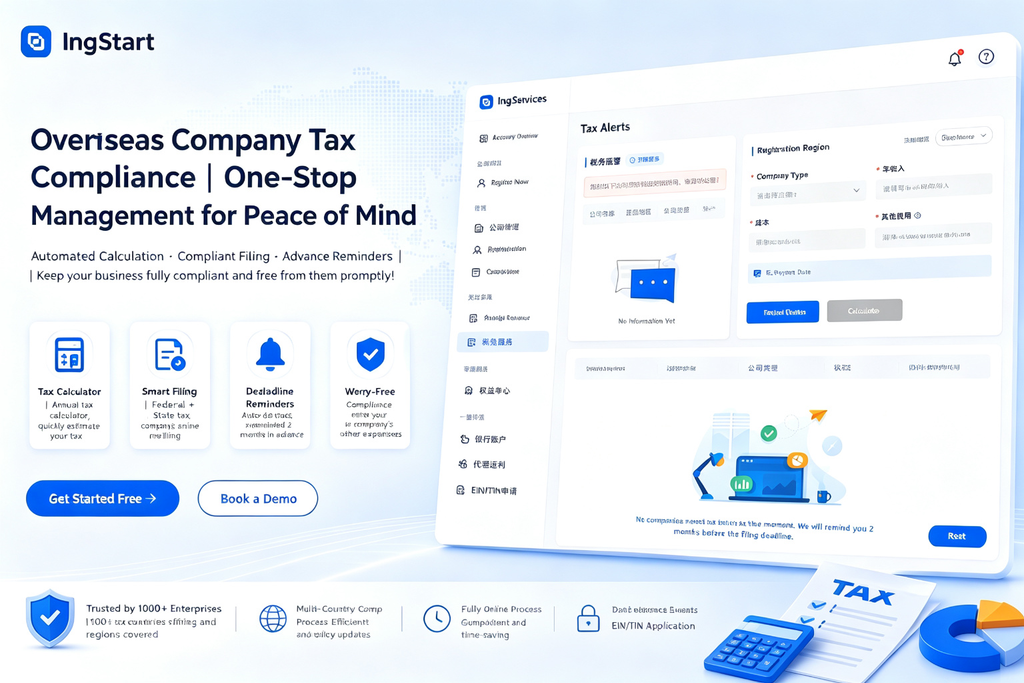
Why Choose IngStart
Handing registration, account opening, and compliance — the time-consuming, error-prone steps — to a team that does them every day is not laziness; it’s the highest-ROI choice.
If you’re planning to go global, or are already dealing with registration, account opening, and compliance issues, one more option means fewer detours. Check the official website for the latest campaigns and package details, or contact an IngStart advisor to have a professional team assess your situation first, then decide on your next step.
If you run cross-border e-commerce stores or an overseas social media matrix, you can pair them with Cliproxy overseas proxy IPs, which provide stable residential and datacenter proxy exits. Combined with an anti-detect browser, they make your account environment more realistic and stable and lower the risk of IP association.
印度 IP 是注册归属印度本地网络(如 Reliance Jio、Bharti Airtel、BSNL 等运营商)的 IP 地址。使用印度 IP,目标网站会将你识别为印度本地用户——看到 Flipkart、Amazon.in 的本地价格,加载 Google.co.in 的本地搜索结果。
印度是全球增长最快的数字市场之一:超过 8 亿网民、世界第二大互联网用户群体。海外电商、出海 App、SEO 从业者对印度 IP 的需求集中在四件事:
选印度 IP,先分清四种类型,这决定了你的成功率和成本:
| 类型 | 来源 | 信任度 | 速度 | 适合 |
| 住宅 IP | Jio、Airtel、BSNL 等家庭宽带 | ★★★★★ | 中 | 抓取数据、SEO 监控 |
| 移动 IP | Jio/Airtel/Vi 的 4G/5G 网络 | ★★★★★ | 中低 | 移动端验证 |
| 数据中心 IP | 印度机房 | ★★ | 极快 | 低防护目标、API 调用、测试 |
| ISP(静态住宅)IP | 注册在 ISP 名下、机房承载,固定不变 | ★★★★ | 快 | 账号矩阵、长会话、API 白名单 |
两个关键概念:
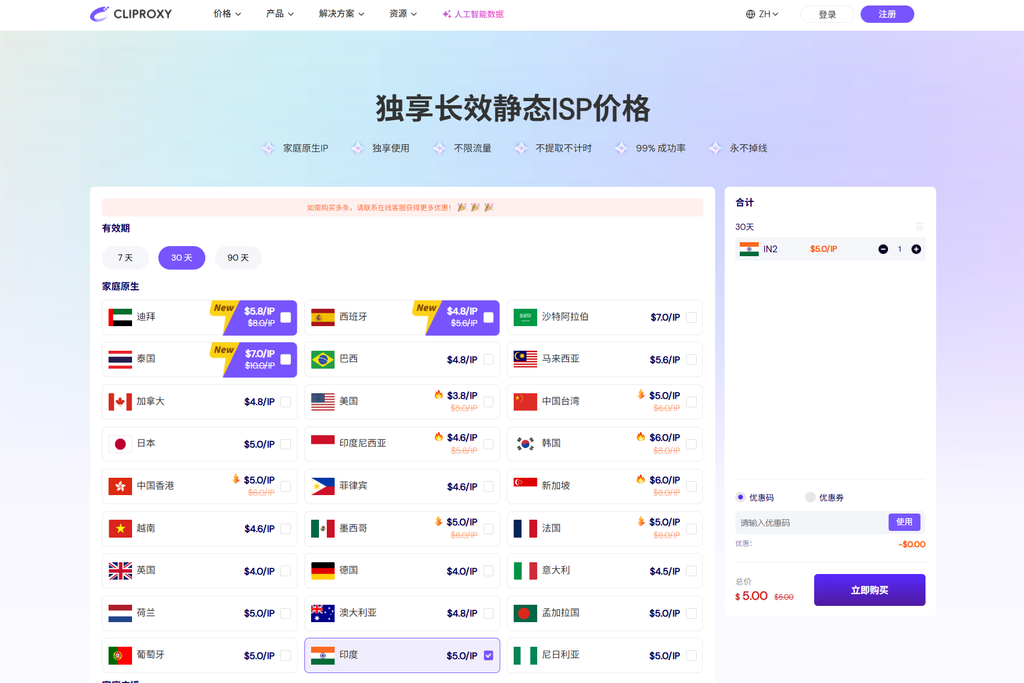
推荐理由:
适合人群:出海电商卖家(Flipkart/Meesho 店铺矩阵)、做印度市场的自动化任务团队、需要长期稳定印度出口 IP 的运营者。
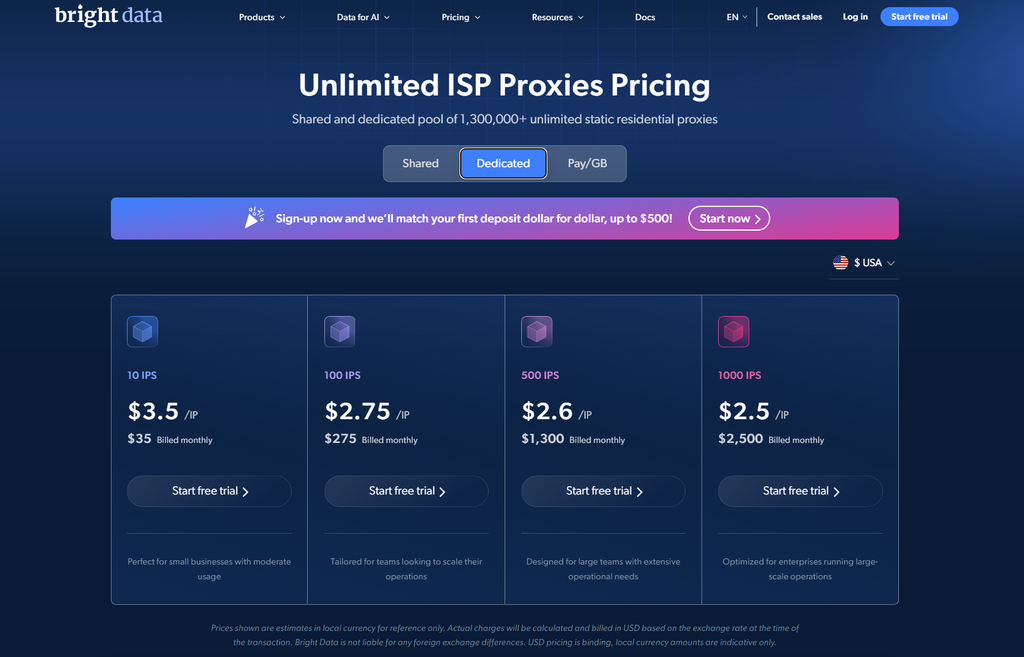
印度地区的住宅IP资源丰富,国家/城市/ZIP/ASN 全维度免费定向,有面向 Flipkart、Amazon.in、Google.co.in 的专用 Scraper API。价格 $2.50–5/GB,起投门槛高,适合有开发资源的中大型团队。
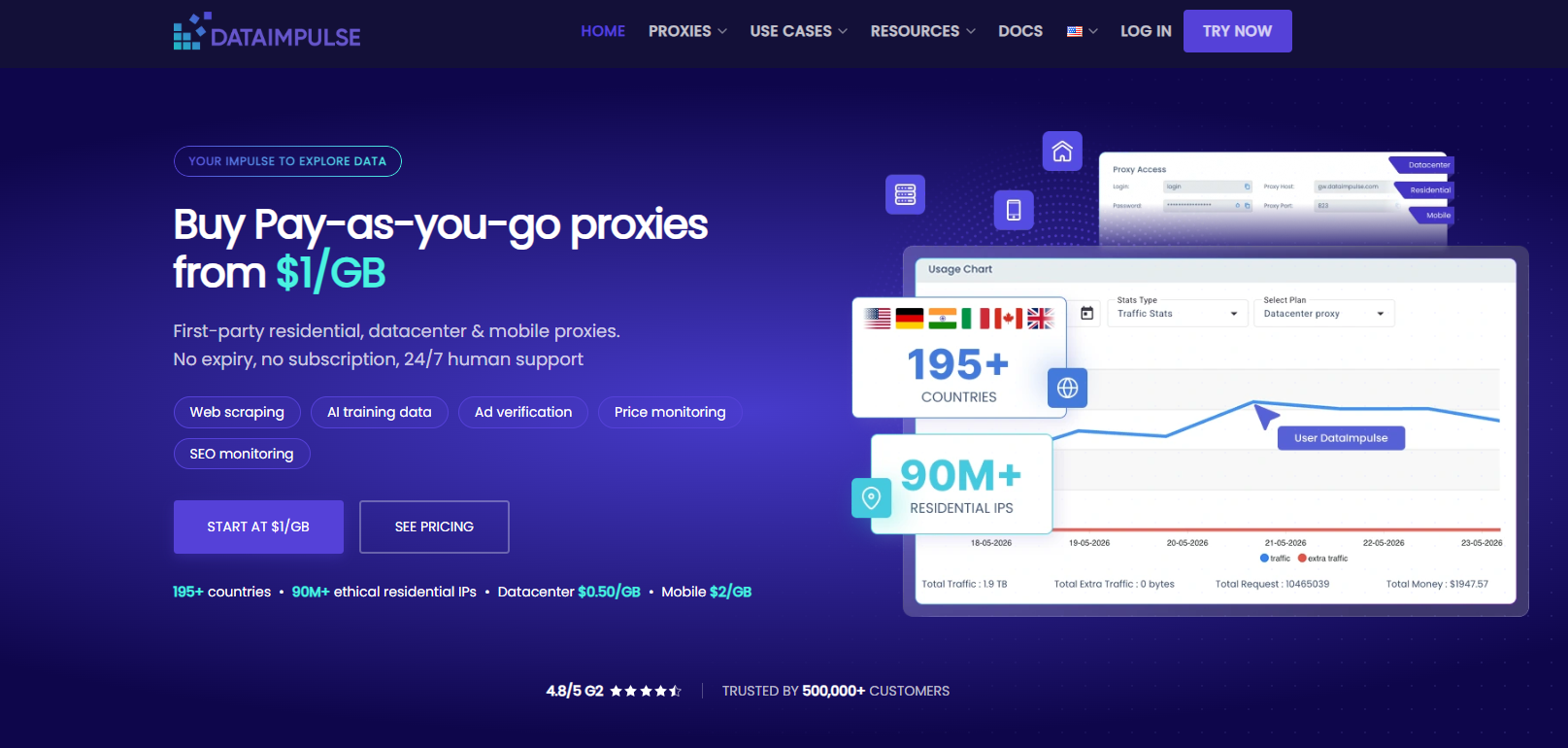
$1/GB PAYG、流量永不过期,印度 IP 池资源丰富,邦/城市/ZIP/ASN 定向(2× 费率)。如果需求以大规模抓取数据为主、不需要静态 IP,它是按 GB 计费里的低价标杆。
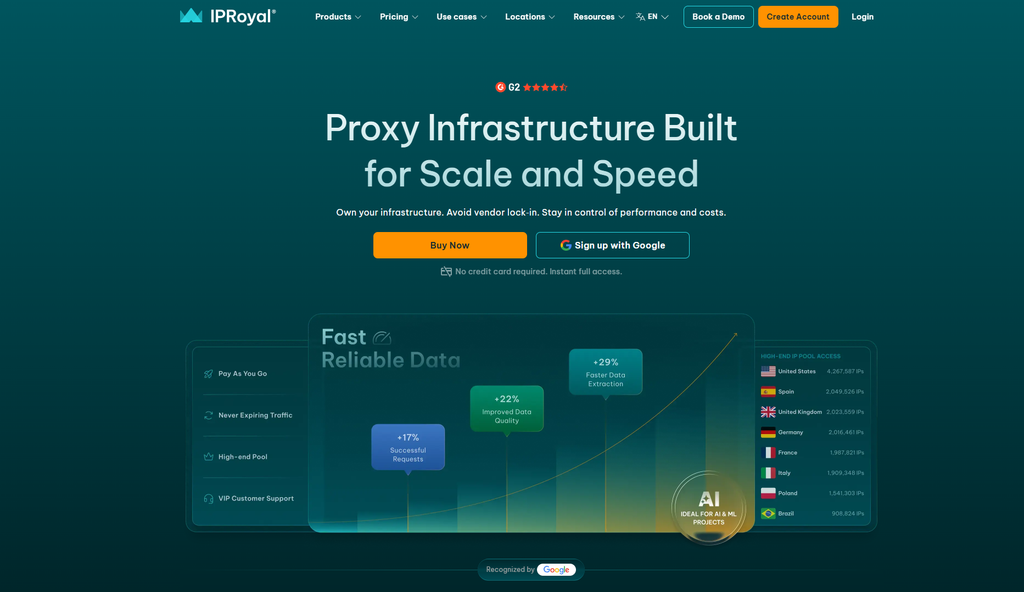
粘性会话最长可达 7 天,住宅 $1.75/GB(大批量),ISP 约 $2/IP。适合 IRCTC、MakeMyTrip 这类多步长流程。
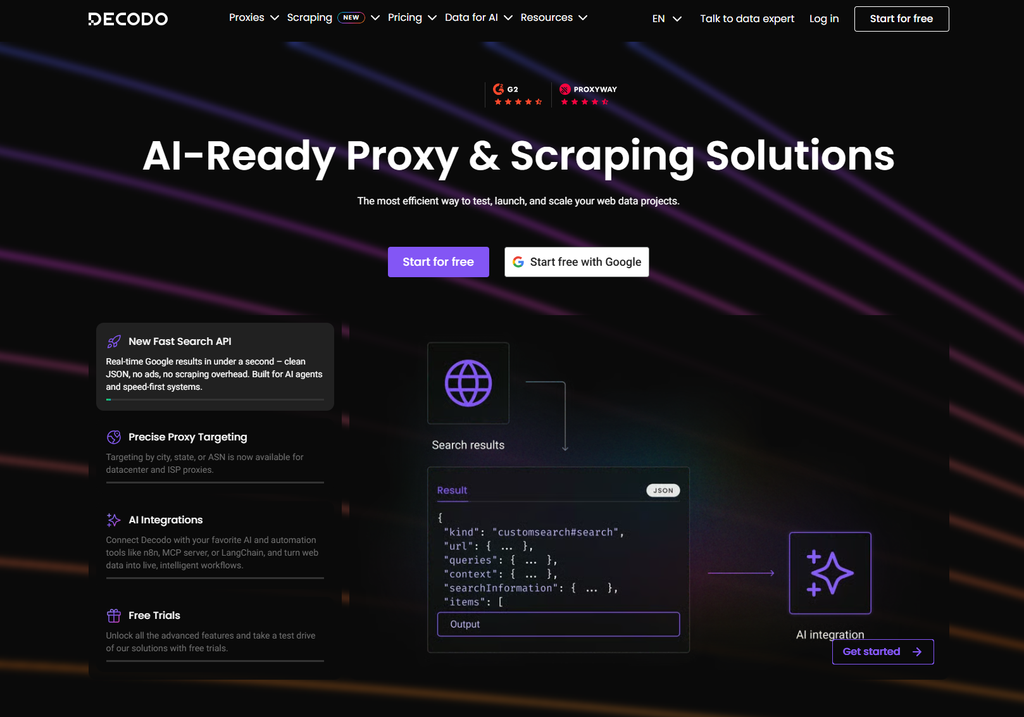
印度 ISP $0.27/IP 起(视库存而定),住宅 $3.75/GB。注意其印度 ISP 库存不稳定,任务关键场景建议备选。
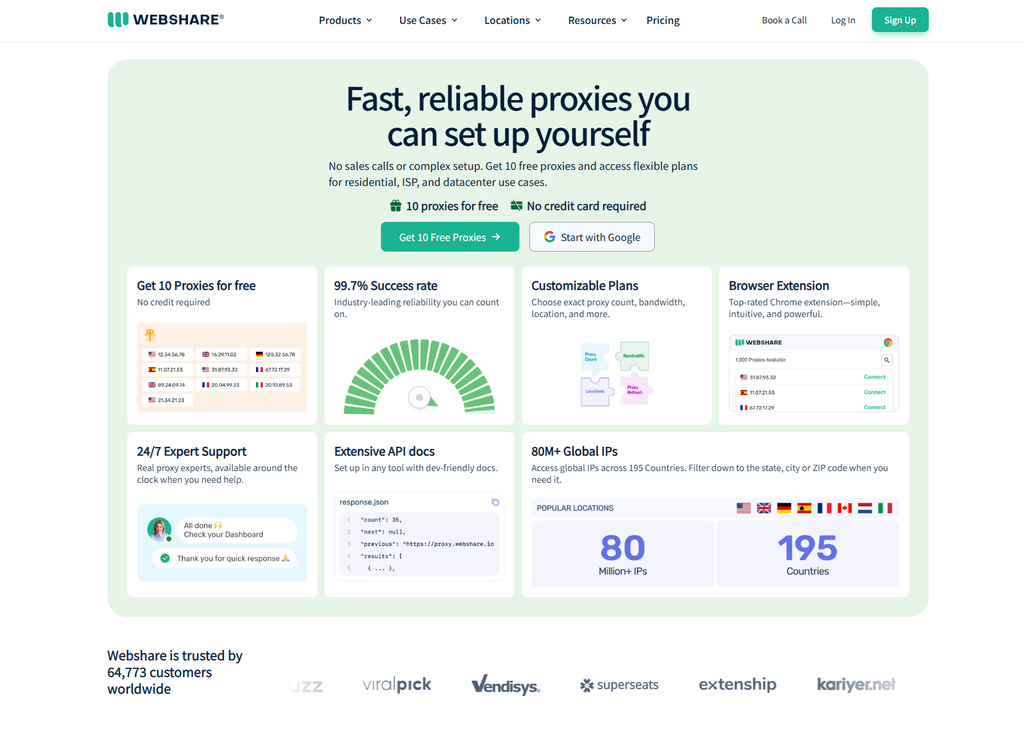
有免费档位(适合验证流程),付费住宅 $3.50/月起。定位能力不精准,适合低防护目标和预算敏感的个人用户。
| 服务商 | 印度静态 ISP | 轮换住宅 | 城市定位 | 计费弹性 | 中文支持 |
| Cliproxy ⭐ | $2.4/IP 起,独享不限流量 | $0.04/IP 起,不提取不扣费 | √ | √流量永不过期 | √24/7 |
| Bright Data | $35/IP/月 起 | $2.50–5/GB | √ ZIP/ASN | 中 | × |
| DataImpulse | × | $1/GB | √(2× 费率) | √不过期 | × |
| IPRoyal | ~$4/IP | $1.75/GB 起 | 部分 | √不过期 | × |
| Decodo | $0.27/IP 起(视库存) | $3.75/GB | √ | 中 | × |
| Webshare | × | $3.50/月起 | 不精准 | 低 | × |
先说结论:免费方案可以用来验证流程,但不能承载任何正经业务。
| 途径 | 原理 | 风险 |
| 公开免费IP列表 | 他人公开的IP端口 | 高危:IP 被全球滥用者共享、秒封秒断 |
| 某些服务商免费档 | Webshare 等提供的少量免费 IP | 可用于测试,但 IP 池旧、并发低、无印度城市级定位 |
| Cliproxy 新用户测试资源 | 注册后领取测试流量 | 适合正式购买前验证印度 IP 质量(ASN、定位、速度),推荐先用这个路径 |
为什么不建议免费方案跑业务:免费 IP 的滥用历史会让它在 Scamalytics 等风控数据库里是高分黑户——用它登录的业务账号会被连带标记,等于用账号换流量。
如何挑选购买合适的住宅IP非常简单,根据自己当前的业务类型来判断你需要的资源类型:
最重要的一点是,购买前最好联系在线客服获得测试流量或者IP,这样通过免费的测试验证业务流程能否跑通,再此之后再加大投入继续购买。
An India IP address is an IP registered to a local Indian network or ISP, such as Reliance Jio, Bharti Airtel, or BSNL. When you use an India IP, websites can identify your connection as coming from an Indian user. This allows you to see localized pricing on Flipkart and Amazon.in, as well as India-specific search results on Google.co.in.
India is one of the world’s fastest-growing digital markets, with more than 800 million internet users and one of the largest online populations worldwide. For overseas e-commerce businesses, international apps, and SEO professionals, the demand for India IPs generally falls into four areas:
Before choosing an India IP, it is important to understand the four main IPs types. The type you choose directly affects reliability, speed, and cost.
| Type | Source | Trust Level | Speed | Best For |
| Residential IP | Home broadband connections from providers such as Jio, Airtel, and BSNL | ★★★★★ | Medium | Data scraping, SEO monitoring |
| Mobile IP | 4G/5G networks from Jio, Airtel, and Vi | ★★★★★ | Medium to low | Mobile verification and testing |
| Datacenter IP | Servers hosted in Indian datacenters | ★★ | Very fast | Low-protection targets, API requests, testing |
| ISP (Static Residential) IP | IPs registered to ISPs but hosted in datacenters and kept static | ★★★★ | Fast | Account management, long sessions, API whitelisting |
There are two important concepts to understand:
A rotating IP automatically changes after each request or session, depending on the provider’s configuration. This is useful for large-scale data scraping because if one IP becomes rate-limited, the rest of the task can continue using other IPs.
Indian platforms can have sophisticated anti-bot and traffic management systems, so datacenter IPs may face a higher risk of being blocked. For demanding scraping tasks, rotating residential IPs are generally a more suitable option.
A static ISP IP remains unchanged and combines some of the trust characteristics associated with residential networks with the speed and stability of server infrastructure.
This makes static ISP IPs useful for account-based automation and long-running sessions. Keeping the same IP for a specific account can provide a more consistent network environment.
Look for providers that support major Indian networks such as Jio (AS55836), Airtel (AS9498), BSNL, and Vi, ideally with ASN-level targeting. Some platforms distinguish between residential ISP networks and datacenter networks, so the ability to target specific ASNs can be important for advanced use cases.
Pricing, search results, and local services can vary significantly between Indian cities. Flipkart pricing, Google.co.in search results, and services such as Swiggy and Zomato may vary by city or even postal code.
If a provider only offers country-level targeting, it may not be suitable for tasks that require precise geographic localization.
Multi-step workflows on services such as IRCTC and MakeMyTrip may require a sufficiently long sticky session. Changing IP addresses in the middle of a session can interrupt the workflow or trigger additional verification.
Two factors are particularly important: the maximum sticky-session duration and whether static IPs are available.
Pay-as-you-go (PAYG) or “no extraction, no charge” billing models can be more flexible than mandatory subscription plans, particularly for businesses with seasonal traffic.
Support for both HTTP(S) and SOCKS5, together with username/password authentication and IP allowlisting, provides the compatibility required by most automation tools and technical workflows.
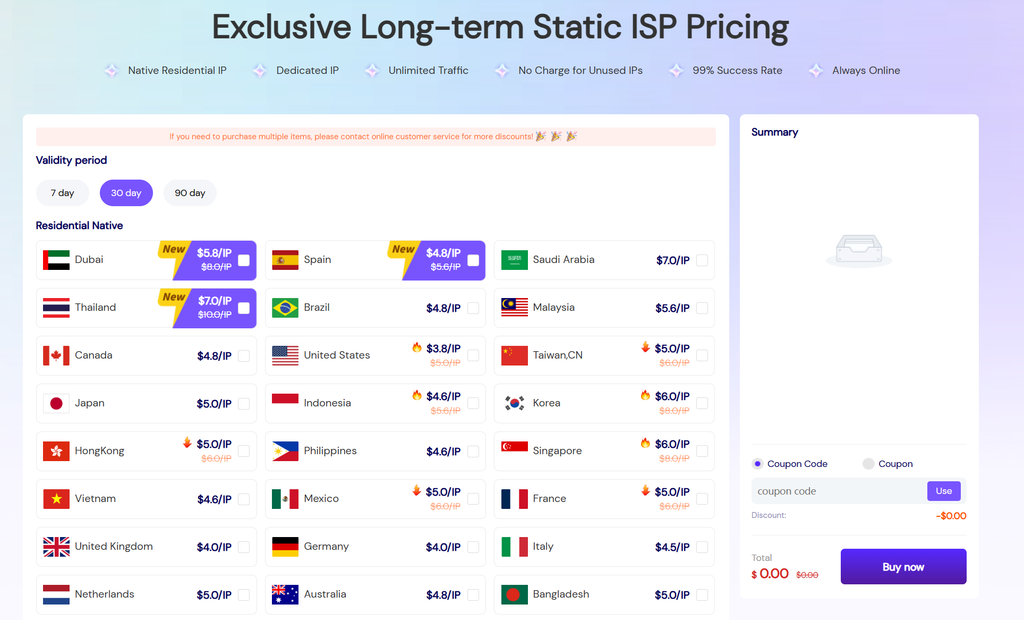
Best for: Overseas e-commerce sellers managing Flipkart or Meesho stores, automation teams targeting the Indian market, and users who need stable Indian exit IPs for long-running workflows.
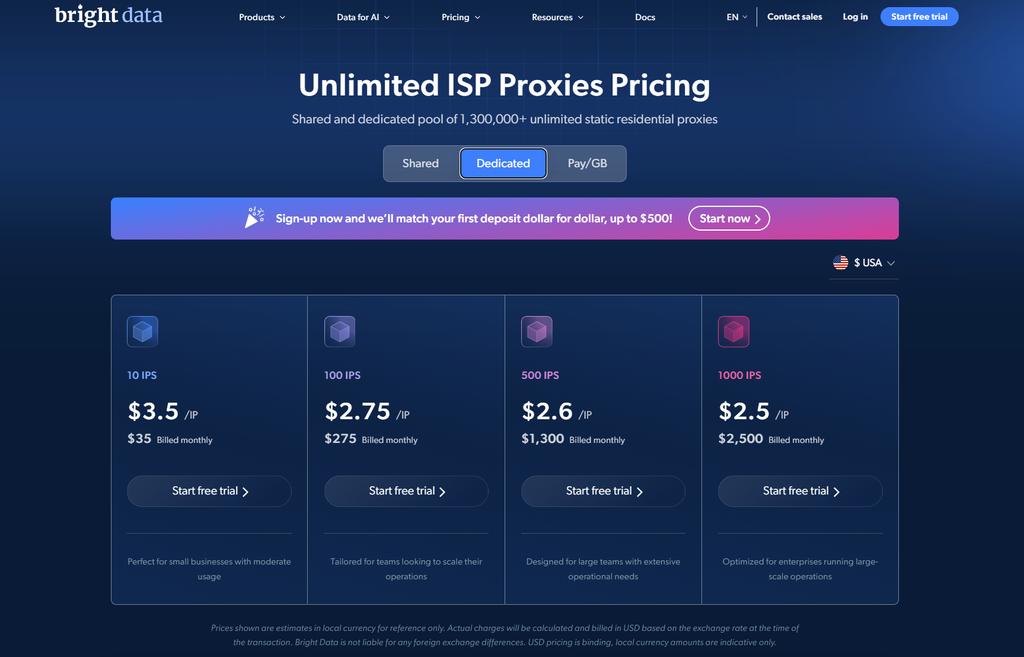
Bright Data offers a large residential IP pool in India, with targeting options covering country, city, ZIP code, and ASN. It also provides dedicated Scraper APIs for websites and services such as Flipkart, Amazon.in, and Google.co.in.
Pricing is approximately $2.50–$5/GB, depending on the service and plan. With a relatively high entry threshold, it is better suited to medium-sized and large teams with development resources.
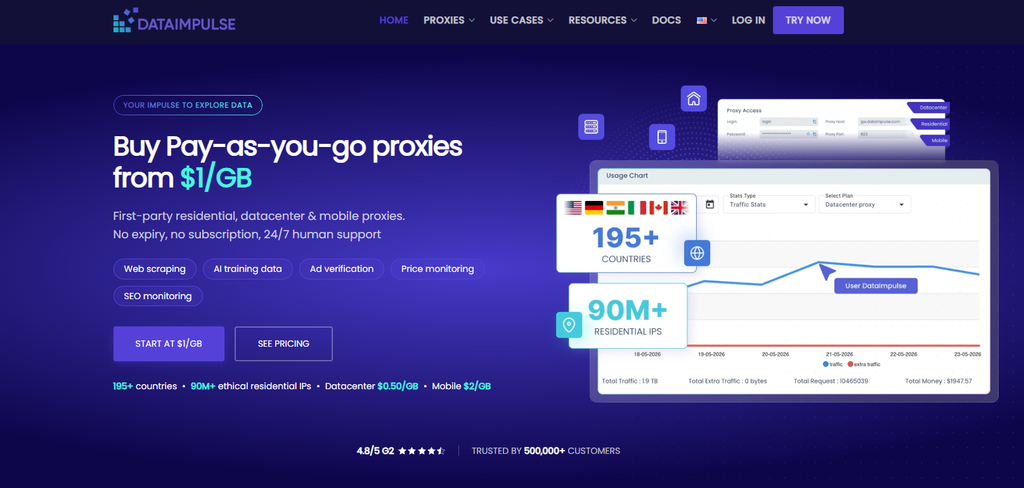
DataImpulse offers residential traffic from $1/GB on a PAYG basis, with traffic that does not expire. Its India IP pool supports state, city, ZIP code, and ASN targeting, with targeted traffic charged at approximately twice the standard rate.
If your primary requirement is large-scale data scraping and you do not need static IPs, DataImpulse is a low-cost option among GB-based residential ip services.
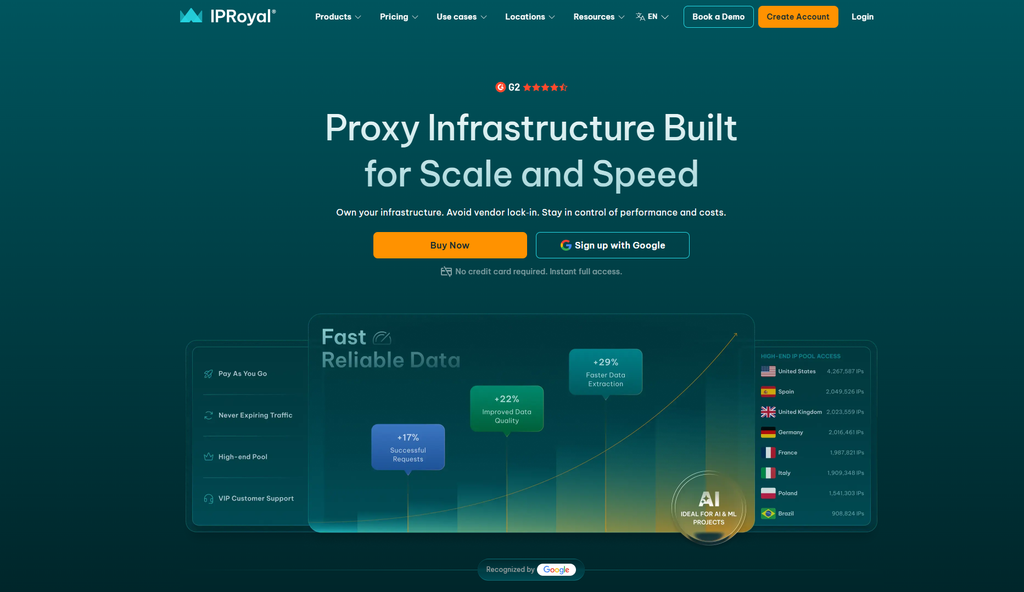
IPRoyal supports sticky sessions of up to 7 days. Residential proxies start at around $1.75/GB for larger volumes, while ISP proxies are available at around $2/IP.
Its long session duration makes it suitable for multi-step workflows such as those involving IRCTC and MakeMyTrip.
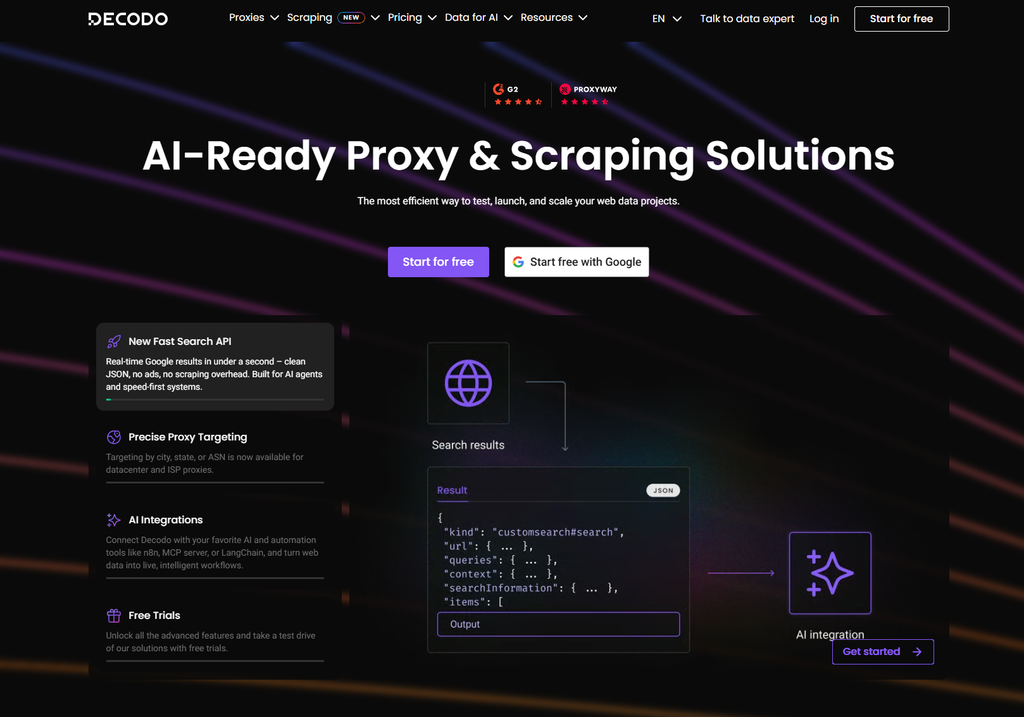
Indian ISP proxies start at approximately $0.27/IP, depending on available inventory, while residential proxies start at around $3.75/GB.
However, inventory for Indian ISP proxies may fluctuate. For business-critical workflows, it is worth having a backup provider available.
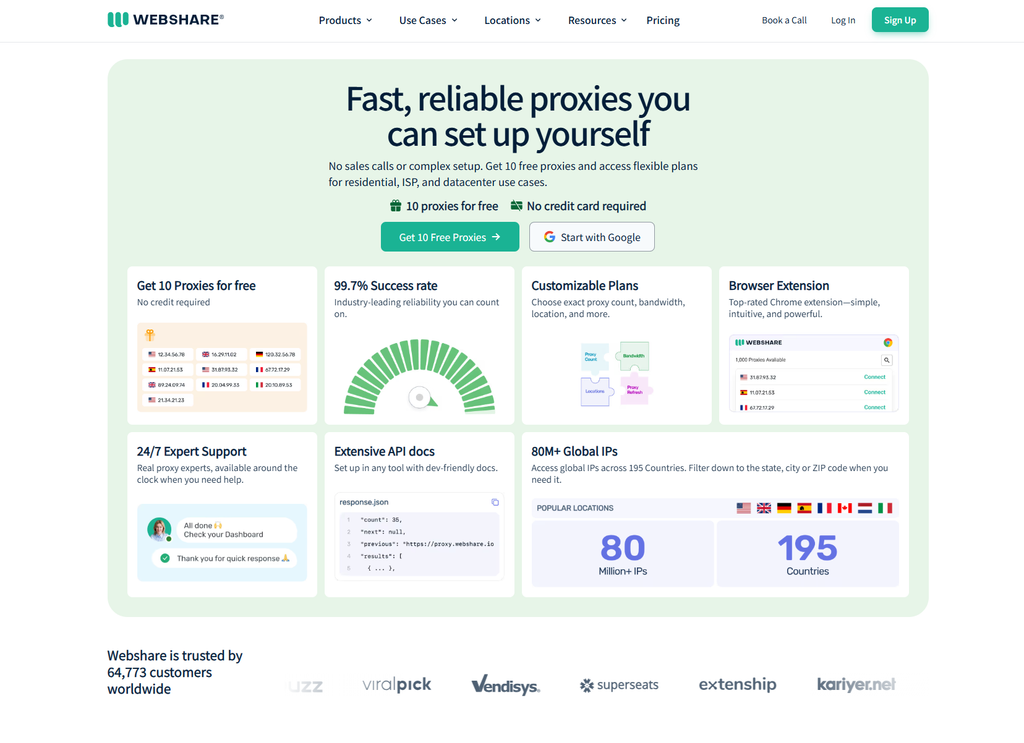
Webshare offers a free tier that can be useful for testing basic workflows, while paid residential proxies start at approximately $3.50/month.
Its targeting capabilities are primarily country-level, making it more suitable for low-protection targets and budget-conscious individual users.
| Provider | Indian Static ISP | Rotating Residential | City Targeting | Billing Flexibility | Chinese Support |
| Cliproxy ⭐ | From $2.4/IP, dedicated and unlimited bandwidth | From $0.04/IP, no charge for unused resources | ✓ | ✓ Traffic does not expire | ✓ 24/7 |
| Bright Data | From $35/IP/month | $2.50–$5/GB | ✓ ZIP/ASN | Medium | ✗ |
| DataImpulse | ✗ | $1/GB | ✓ 2× rate for targeting | ✓ No expiration | ✗ |
| IPRoyal | ~$4/IP | From $1.75/GB | Partial | ✓ No expiration | ✗ |
| Decodo | From $0.27/IP, depending on inventory | $3.75/GB | ✓ | Medium | ✗ |
| Webshare | ✗ | From $3.50/month | Country-level | Low | ✗ |
The bottom line is simple: free options can be useful for testing, but they should not be relied on for serious business operations.
| Method | How It Works | Risks |
| Public free IP lists | Publicly shared IP ports provided by other users | High risk: IPs may be heavily abused and can be blocked or become unavailable at any time |
| Free tiers from certain providers | A small number of free IPs provided by services such as Webshare | Suitable for testing, but pools may be limited, concurrency may be restricted, and Indian city-level targeting may be unavailable |
| Cliproxy new-user testing resources | Test traffic provided after registration | Useful for evaluating Indian IP quality, ASN information, location accuracy, and connection speed before purchasing |
Free IPs often have a history of abuse and may already have poor reputations in risk-control databases such as Scamalytics.
Using a heavily abused IP to access a business account can result in additional verification or other access issues. In other words, saving money on traffic may introduce unnecessary risks to the accounts and workflows that matter more.
Choosing the right residential IP is relatively straightforward once you identify your actual business requirements.
Most importantly, test before you commit to a large purchase. Contact the provider’s support team and request trial traffic or test IPs whenever possible. Use the free resources to verify IP quality, location accuracy, connection speed, and whether your workflow works as expected. Once everything has been validated, you can gradually increase your usage and investment.


